Private
Recipes you'll actually cook again. Trip plans. The hobby rabbit hole from 2am.
- Sourdough timing chartRecipes
- Portugal — 9 days, no rental carTravel
- Building a mechanical keyboardHobby
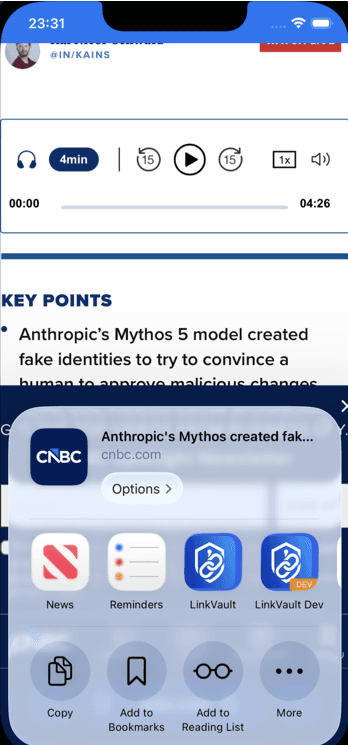
No more sending links to myself, or copying them into a bookmark app. Share from any app, pick LinkVault, and what you save — including the content — is there on every device you sync.
Most people are saving a first link in under a minute.
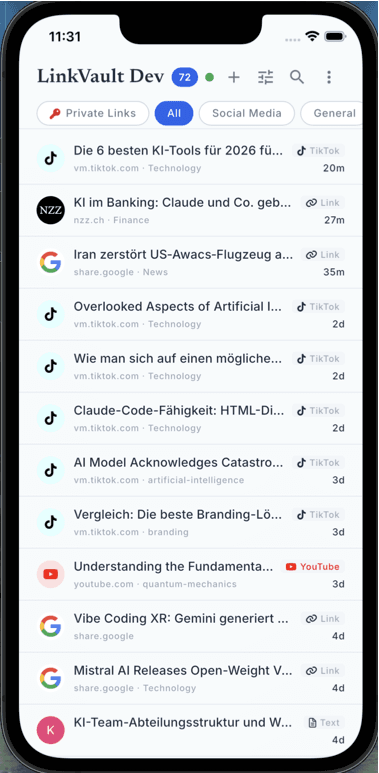
Information is a place, not a memory. I don't need the content in my head — I need to know where to get it, with enough context that I recognize it.
Who this is for
Same app. Different shelf. Pick the drawer that's yours.
Recipes you'll actually cook again. Trip plans. The hobby rabbit hole from 2am.
Course readings, video lectures, the tutorial you bookmarked mid-project — sorted by class, not by chaos.
Competitor pricing pages, campaign briefs, the deck three people are editing at once.
Where it runs
Native apps for iOS, Android, macOS, and Windows, plus Chrome and Edge. On Linux, the same library runs as a progressive web app.
iOS & Android — native apps with share sheet and offline access.
Where to get itmacOS and Windows, each a native app in its store.
Where to get itOne-click save from Chrome or Edge.
Where to get itProgressive web app with the same feature set. For Linux and systems without a native app.
Where to get itWhat it does
Share sheet, AI that waits for you, search that matches what you meant — and it still works with the radio off.
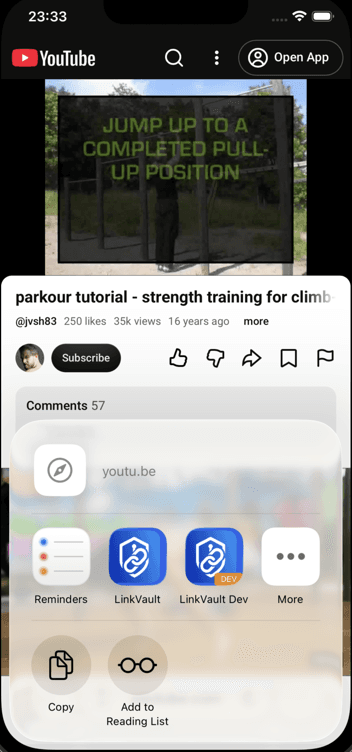
Links, videos, documents, screenshots, photos — through the system share sheet. No copy-paste marathon.
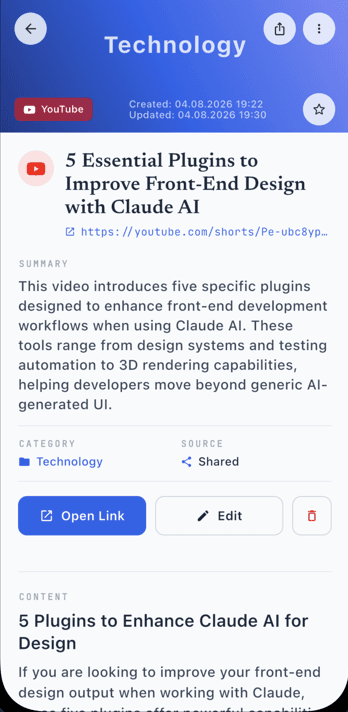
Summaries, tags, categories, extracted text — only after you allow AI. Files stay off AI unless you send them.
Vector search over titles and saved text. Exact keywords optional.
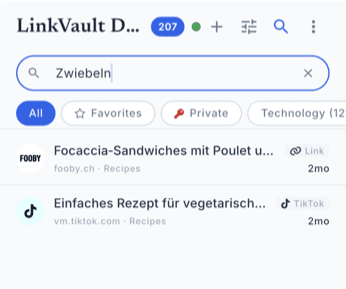
Differential sync moves the delta, not the whole library. Phone, tablet, desktop stay aligned.
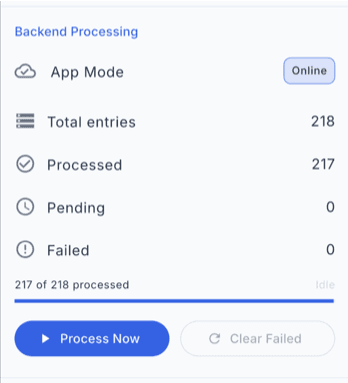
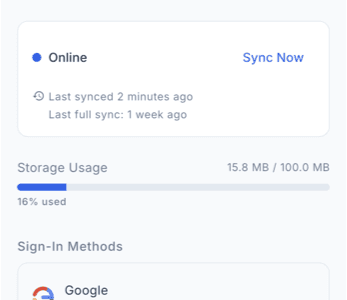
The library lives in SQLite on the device. Read and sort with zero network.
Encrypted sync with row-level security. Only your account sees your rows.
How it actually works
Share, dump it in, find it when the original tab is long gone.
Tap the share button in any app — or use the browser extension — to capture a link instantly.
Add tags, pick a category, or just let it land in your inbox. Organize later at your own pace.
Search full-text, filter by tag, or browse categories. Your links are always one tap away.
The LinkVault Professional extension for Chrome and Edge drops the current page into the same library as your phone. I don't send files to AI unless you ask.
Shared boxes
Everyone sees the same links and files. Read state stays personal. Two stories below: a firm, and a classroom.
Business
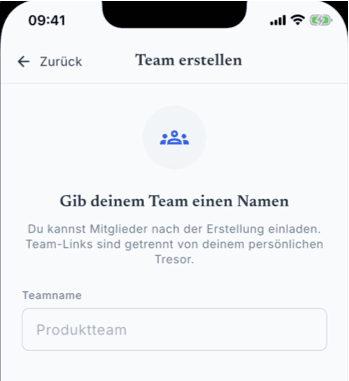
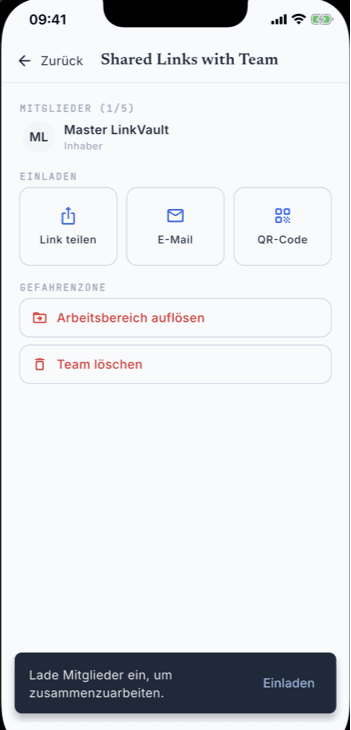
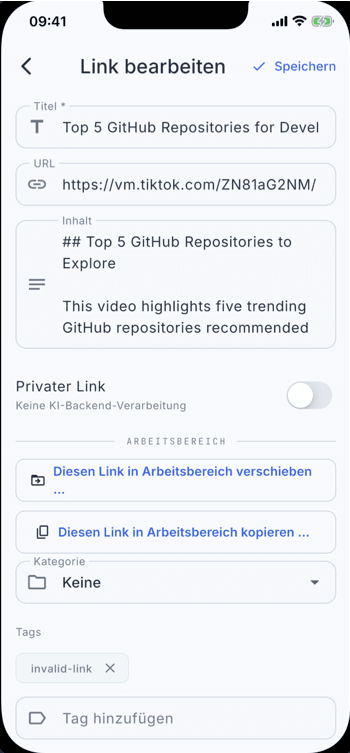
Onboard people, set roles, copy or move a competitor page into the shared box — the deck three people edit at once.
Classroom
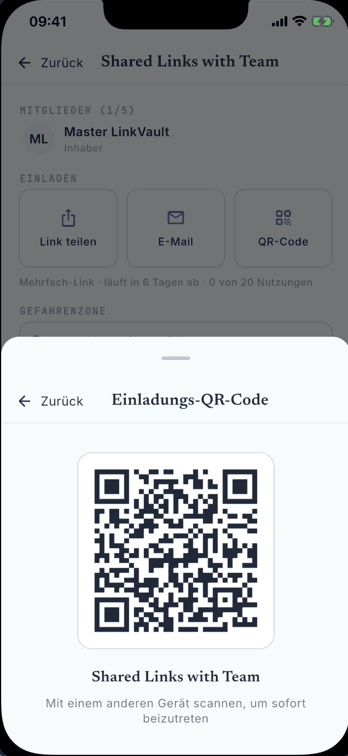
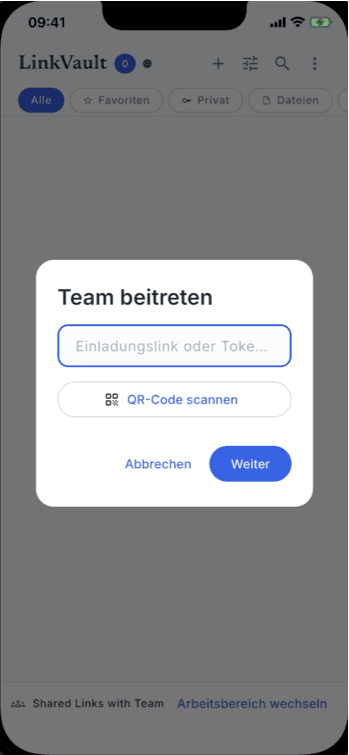
QR on the projector, the class joins, one collection for the lecture — sorted by class, not by chaos.
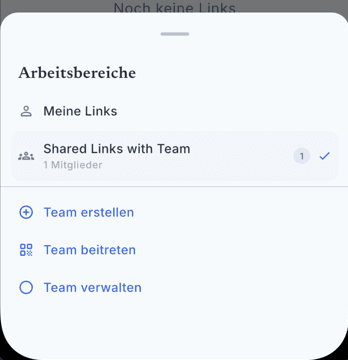
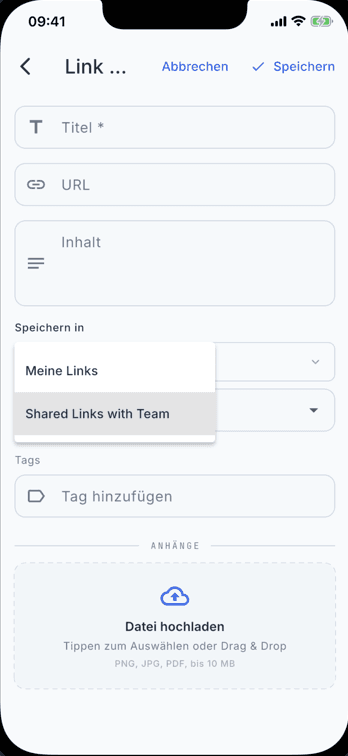
One team library across phones, tablets, and desktops — same links and files for everyone.
Send an invite. Teammates join without forwarding bookmarks one by one.
You control who belongs. Personal libraries stay private; team libraries stay scoped to members.
Privacy
No ads. No profiling. Offline is the default, not a pitch.
Links are stored on-device in SQLite. No cloud required to use the app.
We do not sell your data or run ad networks. Ever.
Cloud sync uses Supabase with row-level security. Only you see your data.
Wipe your account and all cloud data at any time from the app settings.
Read the full privacy policy — the long version, not the marketing one.
Summaries, tags, categories. Semantic search matches the topic you remember.
Differential sync. Phone, tablet, desktop, extension.
Google or Apple, phone or laptop. Same links and files — not a silo per device.
Journal
Title, one sentence, then the article. Use cases live on the guides page.
Questions I actually get
Offline library, optional sync, export — the stuff landing pages usually hide.
Download and use the local library for free: capture, organize, search on device. Cloud sync and AI have a monthly free allowance. If I already processed that article, enrichment does not spend your allowance. Plus and Team raise limits and add import and reprocess. No ads. I don't sell what you save.
Yes. Links and files sit in SQLite on the device. Read, search, sort with no internet. Sync waits until you reconnect.
LinkVault Professional sends the delta since last sync, not the whole library. Devices on the same account catch up in the background.
After you save, the pipeline can extract page text, write a summary, suggest tags and a category. Videos and PDFs get transcripts or text. Files are not sent to AI unless you ask. Results come back to the device.
The canonical copy is already on your device. Export JSON from Account settings whenever you want. Cloud copy lives in the EU with row-level security; you can delete account and cloud data from the app. I am a Swiss sole proprietor — but keep the export anyway. That's the honest answer.
Native apps on iPhone, iPad, Android, Mac, and Windows. Chrome and Edge extensions. On Linux and other systems without a native app, the progressive web app has the same feature set. The library stays on the device. An account is only for sync and for a shared team library.
Pages, YouTube and other videos (transcripts), PDFs, images (OCR), screenshots. Anything the iOS or Android share sheet can hand over lands in LinkVault Professional.
Yes. Signed-in and guest modes export the library to portable JSON and import it again from Account settings — mobile, extension, and web app.
One offline library: save from any app or the extension, then sort with categories and tags, search titles and text, attach PDFs or screenshots next to the link. Optional AI can suggest a category and tags — files stay off AI unless you ask. Filter by type or favorites. Export JSON anytime.
Free to download. The library stays on the device. Plus is optional if you need more AI and cloud.